
Pinterest saves are shoppers bookmarking your product for later, and Pinterest says saved ideas reach more people, so they’re worth chasing. To get more saves on Pinterest as a store, pin products the way people plan: styled in real rooms, as gift and care guides, on boards named after real searches, and weeks before the season. Then make each save easy to buy later, with a link straight to the product, a price on the pin where Pinterest allows it and the Pinterest tag counting the sale.
One number from my own home decor account sums up this whole post. Between May and September 2026, it got about 794,000 saves and about 197,000 outbound clicks, so for every four saves there was one click through to the website. Lovely for reach. If that account were a store, though, most of those happy savers would never have seen a product page (and “saved” doesn’t pay for restocking).
That’s the catch with saves for an online store. A save is a shopper saying “maybe later”, and Pinterest rewards it by showing the pin to more people, but nobody pays you in maybes. So this guide covers both halves of the problem: how to get more saves on Pinterest from people who actually buy things, and what to fix when the saves pile up and the orders don’t.
(New to Pinterest for your store? Start with my guide to Pinterest marketing for ecommerce, then come back.)
Is it your pins or your setup? A 30-second check
Answer these before you change a single pin:
- Do your pins link to your homepage instead of the product?
- Do your product pins show no price?
- Have you never installed the Pinterest tag, or you’re not sure it works?
- Is your product catalog not connected to Pinterest yet?
Said yes to any of them? Then more pins won’t fix it. It’s a setup problem, and the section on saves that don’t sell is your part of this post. All no? Your setup’s in good shape, so go straight to the pin ideas.
What Does It Mean When Someone Saves Your Pin? (Store Edition)
When someone saves your pin, they add it to one of their Pinterest boards so they can find it again, and Pinterest counts it in your analytics as a save, which it defines as “the number of times people saved your Pin to a board” (Pinterest Help Center).
For a store, that’s a shopper putting your product on their maybe-later list. It’s a good sign, but it isn’t a visit and it definitely isn’t a sale.
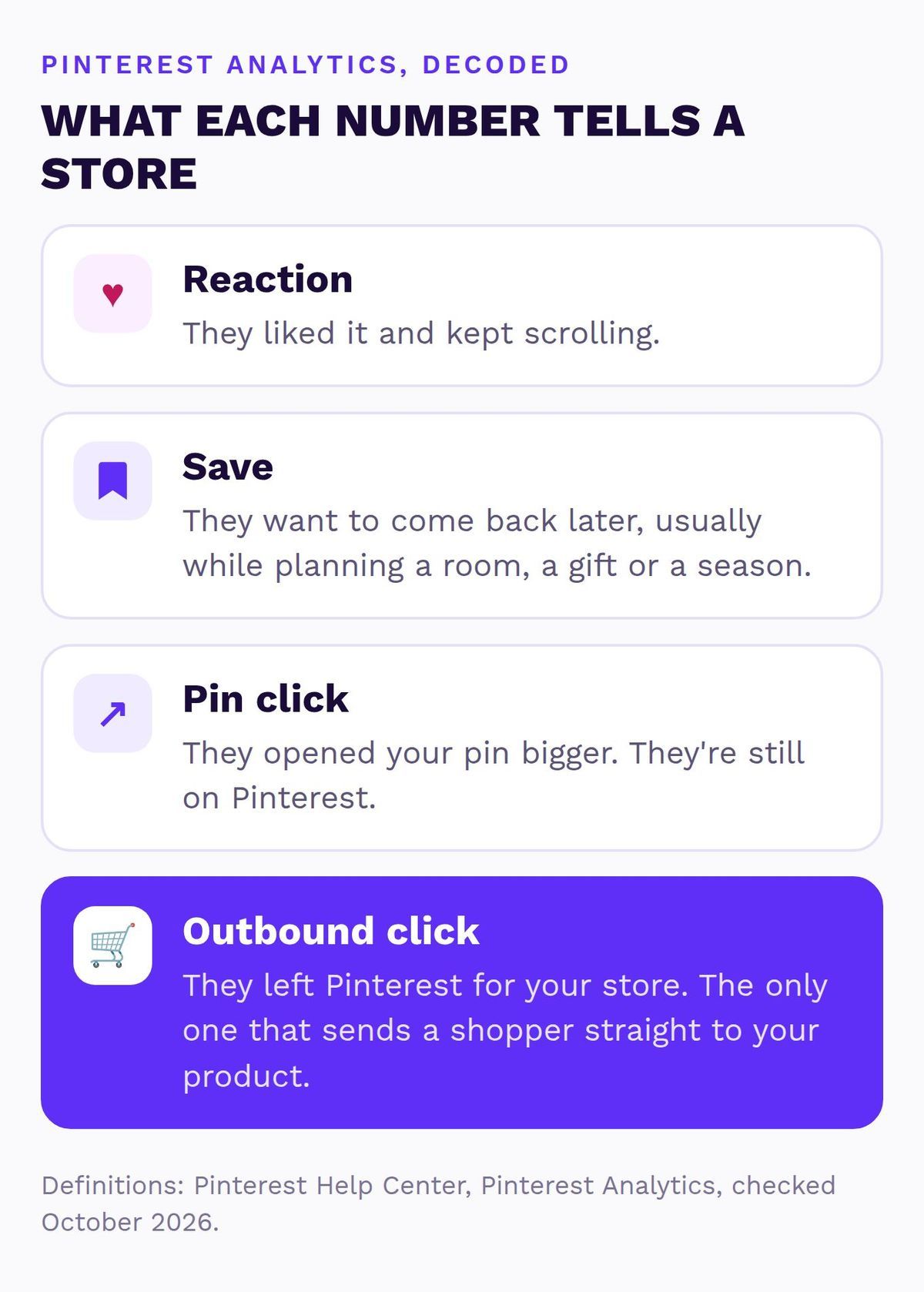
The numbers in your analytics are easy to mix up, so here’s what each one means for a shop:
- A reaction (the little heart) means someone liked it and kept scrolling.
- A save means they want to come back to it, usually while planning a room or a gift.
- A pin click opens your pin bigger, and they’re still on Pinterest.
- An outbound click is the only one that takes someone to your store.
So why bother with saves at all? Because Pinterest says the more people save your ideas, the more they show up for new audiences (Pinterest Business blog, written for creators in 2022, and the logic still applies to products). Saves alone just don’t pay the bills, which is what the rest of this post is about.
How to Check Your Pinterest Save Rate Without a Calculator Meltdown
Your save rate is your saves divided by your impressions, which is exactly how Pinterest works it out (Pinterest Help Center), and checking it takes about two minutes:
- Open Pinterest Analytics from your business account. It shows the last 30 days by default, so pick a longer date range if you sell seasonal products.
- Divide your saves by your impressions to get your save rate. Do the same with outbound clicks to get your outbound click rate.
- Sort your top pins by saves, then by outbound clicks, and write down the pins that show up on both lists. Those are the pins worth copying.
For a real reference point, my home decor account had 101.93 million impressions, 794.22k saves and 196.57k outbound clicks from May 1 to September 27, 2026. That’s a save rate of about 0.78% and an outbound click rate of about 0.19%. It’s one account and it’s a content site, not a store, so use it as an example rather than a target.

Is that good? I couldn’t find an official average save rate from Pinterest, so treat any “industry average” you see with a pinch of salt. The number that matters is your own, month over month, sitting next to your clicks and orders. My guide to Pinterest analytics for ecommerce has the monthly check I use.
How to Get More Saves on Pinterest: 5 Pin Ideas That Aren’t Just Pretty
People save the pins that help them plan something. So the trick for a store is to stop pinning products like a catalog page and start pinning them like part of a plan. Each idea below comes with a made-up product so you can picture it.
1. A Room or Outfit Scene With Your Product in It
A product on a white background tells people what it is. The same product on a real coffee table, next to a candle and a stack of books, shows them how their own living room could look, and that’s the version they save.
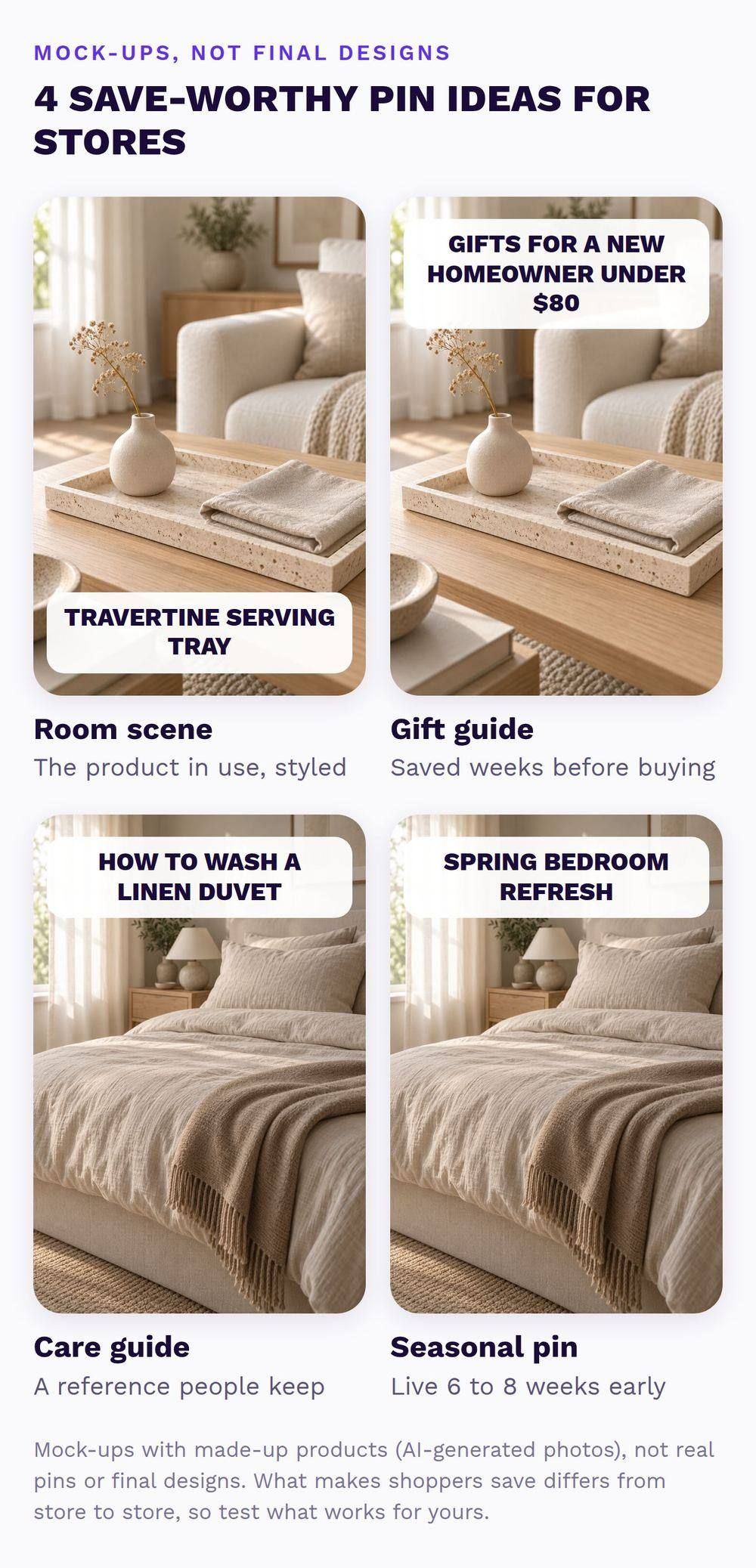
Take a travertine serving tray: style it on a wooden table with a vase and a folded napkin, put “Travertine Serving Tray” in the pin title, and link it straight to the product page.
Keep your clean product photos for the catalog. These styled pins are the extra layer people keep. My guide to Pinterest pin design for stores covers the layout.
2. A Gift Guide Pin People Save Weeks Ahead
Nobody buys a gift the minute they think of it, which is exactly why gift guides get saved. A pin called “Gifts for a New Homeowner Under $80”, showing your travertine tray and a linen napkin set, gets saved in November and opened again in December. Link it to a gift guide or collection page on your store instead of one product, so the person who saved it can browse.
Put the price range in the title too. It filters out the people who were never going to spend that much. Make one for each gifting moment your products fit, like housewarmings, weddings, Mother’s Day and the holidays, and refresh the products in it every year so the pin never sends someone to a sold-out item.
3. A Care or Size Guide That Links to the Product
Useful pins get saved by people who own the thing or are about to buy it, which is precisely the crowd you want. “How to wash a linen duvet cover so it gets softer” or “What size rug fits under a six-seater dining table” are reference pins people keep coming back to.
Put your product in the photo, write the steps or the size chart on the pin in big, readable text, and link to the product page where the same care details live. A pin that answers “is it a pain to look after?” removes one more reason not to buy.
4. A Seasonal Pin That Goes Live Before the Season
People save seasonal ideas weeks before they buy, so a spring bedroom pin that goes live in April is already late. My rule of thumb for home and gift stores is to have seasonal pins live 6 to 8 weeks before the season starts (that’s my practice, not a Pinterest rule).
Give the pin a reason to be saved in the description, like “Save this for your spring bedroom refresh”. Pinterest’s own tip for getting saves is simply to ask for them (Pinterest Business blog), and a reason gives people something to save it for.
5. Fresh Pins for the Same Product, Not the Same Pin Again
Repinning the exact same pin every week doesn’t give anyone anything new to save. Make new pins for your best sellers instead: another angle, another room, a close-up of the texture or a different season. Five fresh pins of one linen duvet over two months are five chances to be saved by five different planners.
While we’re here, old advice says to use Idea Pins for more saves, but Pinterest merged Idea Pins into regular pins in 2023 (Pinterest Business Community), so you can skip that one.
All five work better with two basics in place: board names that match what people search (“Linen Bedding Ideas” beats “Sleepy Vibes” every time, and my guide to Pinterest boards for business covers the rest) and keywords in your pin titles. My guide to Pinterest SEO for ecommerce walks through both, and Pinterest keyword research shows how to find the words shoppers use.
Lots of Saves but No Sales? Four Reasons That Are About the Save
When a store gets plenty of saves but no sales, it usually comes down to who’s saving, whether the pin looks like something you can buy, timing, or sales that never get counted. (Clicks that don’t buy are a different problem, so this section sticks to the save.)
| What’s going on | Fix |
|---|---|
| The wrong people are saving. Mood-board pins with no clear product get saved by browsers, not buyers. | Pin the product in context, with its name on the pin (ideas 1 to 3 above). |
| It doesn’t look like it’s for sale. Your product pins show no price or stock. | Connect your Pinterest catalog so you get product pins. Price now mostly shows for Verified Merchants. |
| They’re not ready yet. Saves now, sales weeks later. | Pin seasons early and give it a full season before you judge. |
| Sales happen, but nobody counts them. Pinterest shows saves, your store shows nothing. | Install the Pinterest tag and check Conversion Insights (next section). |
Reasons 2 and 4 are setup jobs, the kind I fix in a Setup Sprint. Reasons 1 and 3 come down to fresh, well-planned pins every month, which is what my Simmer plan is for. You can absolutely do both yourself too, and the next section shows the order I check things in.
One thing nobody can promise you (me included) is that saves turn into sales, and Pinterest doesn’t promise it either. In its conversion reporting, Pinterest credits a sale to the strongest action a shopper took with your pins inside the attribution window you set (Pinterest Developers).
Conversion Insights uses a 1-day view and 30-day click window by default (Pinterest Help Center), so a shopper who saved in March and bought in April can still count, but only if your tracking records the sale.
Do your pins go to product pages, with prices?
I’ll look at your store and Pinterest myself and send a short report and video with the three fixes I’d make first. Free, within 1 business day, no call needed.
What I Check First When a Store Gets Saves but No Sales
When I look at an account with lots of saves and no orders, I check four things, always in this order, because the first two are the quickest to fix and the most likely to be the problem. It’s the same order the free Shelf Check follows.
- Where the saved pins go. I open the ten most-saved pins and click through each one. If they land on the homepage, a sold-out product or a broken page, that’s fix number one, and nothing else matters until it’s done. My Pinterest to Shopify funnel guide shows where each type of pin should send people.
- Whether Pinterest can show the price. I check that the catalog is connected and whether the store is a Verified Merchant, because Pinterest’s community team says price and availability on pins is now reserved for Verified Merchants (Pinterest Business Community).
- Whether the sale gets counted. I check the Pinterest tag is firing, then look at Conversion Insights, which splits sales into organic, paid unassisted and paid assisted (Pinterest Help Center), and finally the store’s own referral report or GA4.
- Only then, who’s doing the saving. I compare the most-saved pins with the most-clicked pins and the best-selling products. If the most-saved pins are pretty room shots with no clear product, the content needs to change, not the setup.
This is how I run my own accounts, and it’s how my home decor account reached six times its daily impressions in five months. You can see the analytics on my results page. Those are content sites I run, not client stores, but the checks are the same.

Do It Yourself or Get Help? (An Honest Split)
Plenty of stores can handle this themselves, and I’d rather tell you that than pretend otherwise.
| Do it yourself if… | Get help if… |
|---|---|
| Your tag and catalog already work and your pins go to product pages. | The setup is broken, or you’re not sure it works. |
| You have a few hours a week to make fresh pins. | You’d rather spend your evenings on your store, not in Pinterest settings. |
| You like checking your numbers every month. | You want someone to plan seasons ahead and report what sold. |
Not sure which side you’re on? That’s exactly what the free Shelf Check tells you.
Key Takeaways
- A save is a shopper bookmarking your product for later, and Pinterest shows saved ideas to more people.
- Save rate is saves divided by impressions. Check it next to outbound clicks and orders every month.
- Pin products the way people plan: room scenes, gift guides, care guides and seasonal pins that go live early.
- Saves without sales usually mean the wrong savers, no price on the pin, early timing or a sale nobody counted.
- Fix links, price and tracking before you make more pins.
Quick Questions About Pinterest Saves
What does save mean on Pinterest?
Saving a pin means adding it to one of your Pinterest boards so you can find it later. For a store, each save is a shopper bookmarking your product, and Pinterest counts it in your analytics as a save.
How do I see how many saves my pins have?
Open Pinterest Analytics from your business account and look at saves in the overview, or sort your top pins by saves. It shows the last 30 days by default, and you can set your own date range.
Do saves matter more than clicks on Pinterest?
For an online store, outbound clicks matter more, because they’re the only action that sends shoppers to your product page. Saves still help, since Pinterest shows saved ideas to more people, so the best pins get both.
What is a good save rate on Pinterest?
Pinterest doesn’t publish an average save rate, so compare your own save rate month over month. As one real example, my home decor account had a save rate of about 0.78% from May to September 2026.
Can someone check this for my store?
Yes. Send me your store for a free Shelf Check and I’ll look at your pins and your tracking myself, then send a short report and video with the three fixes I’d make first, within 1 business day.
So, to get more saves on Pinterest that lead to sales, sort out the setup first and then pin your products the way people plan. Saves are lovely. Saves that turn into orders are lovelier, and they pay for the next restock.
Getting saves but no sales?
I’ll look at your pins and the product pages behind them myself and send a short report and video with the three fixes I’d make first. Free, within 1 business day, no call needed.
Sources (checked October 2026)
- Pinterest Help Center: Pinterest Analytics
- Pinterest Help Center: Conversion Insights
- Pinterest Developers: Metrics glossary
- Pinterest Business blog: 6 ways to grow your audience with saves (2022)
- Pinterest Business Community: Product Pins aren’t showing the price
- Pinterest Business Community: Pin creation announcement, Idea Pins are now Pins (May 2023)