
Quick answer: if Pinterest suspended your store’s account, its systems often flagged it for spam, and on shop accounts that tends to happen right after connecting a store, adding a payment method or syncing a catalog. You can appeal with the link in Pinterest’s email or through its Help Center, and you should send one calm appeal, not ten. Don’t open a new account while you wait, because Pinterest’s rules treat that as dodging the ban.
You log in to Pinterest to check how your pins are doing, and instead you get a message saying your account is suspended. No warning you noticed, no clear reason, and the boards and pins you spent months building are just… gone. If you sell online, that’s not a hobby account you lost, it’s a sales channel.
So first, breathe (I know, easy for me to say). Pinterest uses automated systems to catch rule-breakers, they sometimes get it wrong, and Pinterest says it changes its decision when it finds a mistake. This guide shows you which kind of block you actually have, why store accounts get flagged, how to appeal, what to write, and how to keep it from happening again.
First, Check Which Kind of Block You Have
A few different problems all get called “suspended”, and each one has a different fix, so it’s worth one minute to work out which one is yours before you send anything.
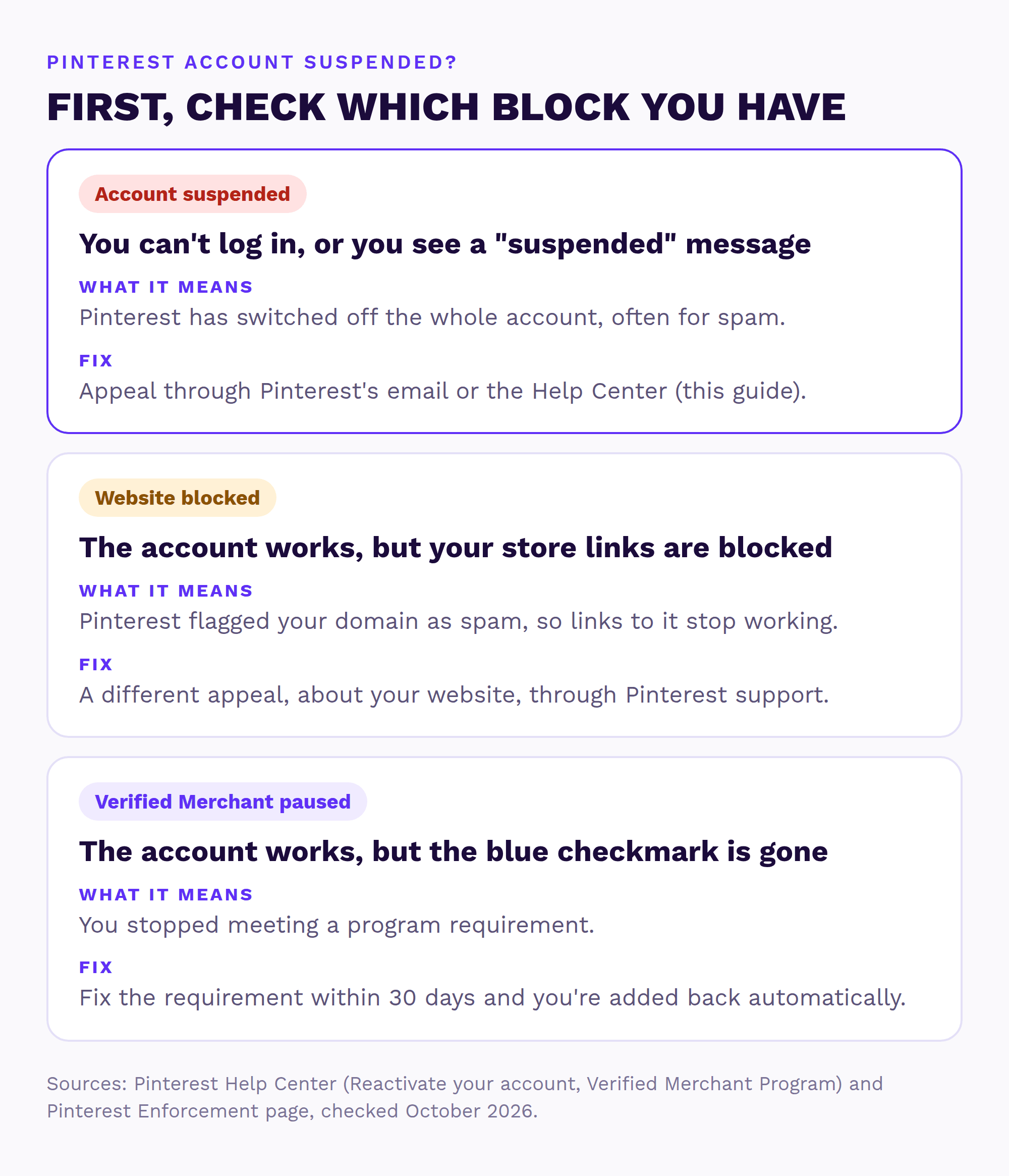
- Your account is suspended or deactivated. You can’t log in, or Pinterest shows a “suspended” message. That’s what this guide is about.
- Your website is blocked. Your account works fine, but links to your store are blocked as spam and your Pinterest traffic drops to almost nothing. That needs a different appeal, about your website rather than your account, and Pinterest’s community team points store owners to Pinterest Support for it (Oct 2026 thread). My guide on what to do when Pinterest says your website is spam walks through that appeal.
- Your account was locked for security. If Pinterest spots strange activity, it emails you, resets your password and logs everyone out. That isn’t a suspension, and the fix is simply resetting your password (Pinterest Help Center).
- Your Verified Merchant status is paused. Everything works, but the blue checkmark is gone. Pinterest’s Verified Merchant Program page says you get 30 days to fix whatever slipped, and if you do, you’re added back automatically. My Verified Merchant guide explains each requirement and how to fix it.
Why Pinterest Suspends Store Accounts (The Usual Triggers)
Pinterest uses automated tools plus human review to enforce its rules, and it can remove accounts for repeated violations or one serious one (Pinterest Enforcement). For store accounts, the rule that bites is almost always spam. Here’s what Pinterest’s Community Guidelines count as spammy, in plain English:
- Using automation Pinterest hasn’t approved, like unofficial auto-pinning or follow tools.
- Saving repetitive content to make money, like the same product pin over and over.
- “Stuffing” irrelevant keywords into pins.
- Links that redirect somewhere unexpected, or to a site that looks unsafe or unoriginal.
- Running several accounts to push the same content, or making a new account to get around a ban.
Then there are the setup steps that seem to set it off for stores. In Pinterest’s own business community, shop owners say their account was suspended right after they connected Shopify and added a payment method (2024 thread), or right after they set up an ad campaign (2022 thread, where the owner had also been warned about their shipping policy the week before). Pinterest hasn’t said these steps cause suspensions, so take them as what owners report, not an official reason. But if your account was suspended the day after you connected a Pinterest catalog or set up Pinterest ads, you’re not imagining it, and you’re not the only one.
How to Appeal a Pinterest Suspension, Step by Step
Pinterest says appeals can be sent in the app, through the Help Center, or with the one-click appeal link in the email it sent you (Pinterest Enforcement). Here’s the order I’d go in:
- Find Pinterest’s email. Search your inbox (and spam folder) for the email about the suspension. If it has an appeal link, use that.
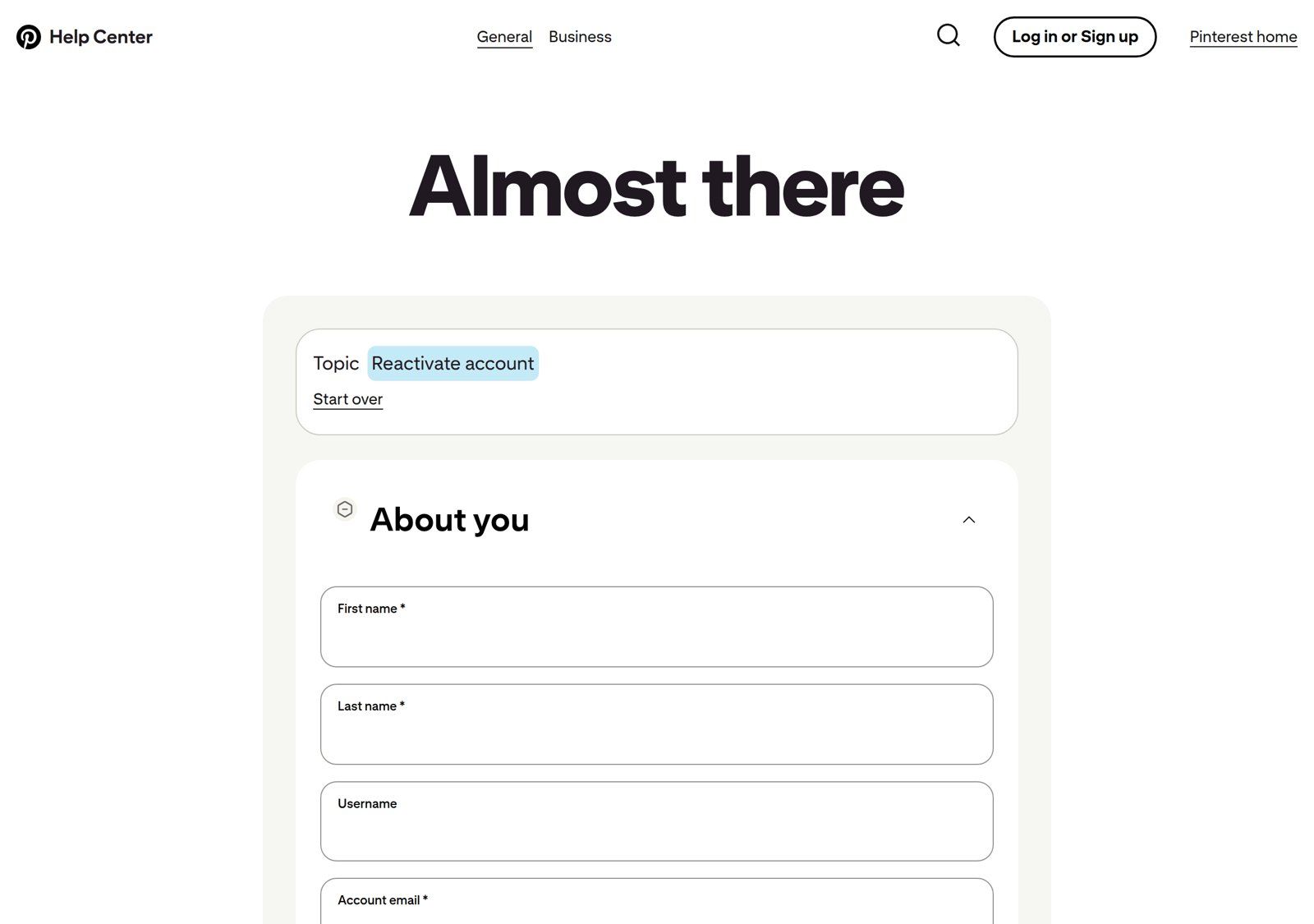
- No email? Use the Help Center. Go to Pinterest’s Reactivate your account page and choose Contact us. Pick the reactivate account topic and fill in your name, username and the email on the account.
- Reply to the automated answer. You’ll probably get an automatic email first. A Pinterest moderator’s advice to a store owner was to reply to that message so you get connected to an actual person.
- Send ONE appeal and wait. Pinterest says it may limit how many appeals one person can send, so five appeals in a day can work against you.
- Fix the obvious stuff while you wait. Pinterest’s merchant guidelines ask for a clear return policy with contact details and a website without broken links, so check those, and stop any unofficial pinning tools.
What to Write in Your Appeal (Copy This Template)
Short, calm and specific wins here. Nobody reading appeals all day wants your life story, and an angry essay doesn’t make anyone faster. Here’s a template you can copy and fill in:
Hi Pinterest team,
My business account [@username, account email] was suspended on [date]. I run [store name], an online store at [yourstore.com] that sells [what you sell]. I use this account to share our own products and ideas for using them.
I believe this was a mistake. The suspension happened right after I [connected my Shopify store / synced my catalog / set up an ad campaign]. I’ve checked your Community Guidelines and Merchant Guidelines, and I have [removed an unofficial scheduling tool / added a clear return policy and contact page / anything you changed].
Could you please review my account and reactivate it? I’m happy to share anything else you need.
Thank you,
[Your name], [store name]
For example, a made-up rug store suspended the day after syncing 400 products would say exactly that: “The suspension happened right after I synced my catalog of 400 rugs through the Pinterest app for Shopify.” Specific beats dramatic.
What NOT to write: anything that sounds like a threat, a copy of your appeal sent again every day, or “I’ll just make a new account then”. That last one in particular, please don’t. Pinterest’s guidelines say not to create new accounts “for the purpose of violating these guidelines” or to try to get around its anti-spam systems, so a fresh account opened mid-appeal can look exactly like that.
Back in? Let’s make sure it doesn’t happen again.
Send me your store and I’ll check your Pinterest account, catalog and pins myself, then send a short report and video with the three fixes I’d make first. Free, within 1 business day, no call needed.
How Long Does a Pinterest Appeal Take?
Honest answer: Pinterest doesn’t publish a timeline, so anyone promising you “48 hours” is guessing. If you’ve heard nothing for a while, reply to the existing ticket once to ask for an update rather than opening a brand-new one each time.
If the answer is a final no, you’ll have to decide whether to start again. If you do, start clean with a new business account set up the right way (my guide to setting up a Pinterest business account walks through it), and only after the appeal is closed, never while it’s still open.
How to Keep Your Store Account From Getting Suspended Again
Once you’re back (or starting fresh), these five habits keep your account well away from Pinterest’s spam filters:
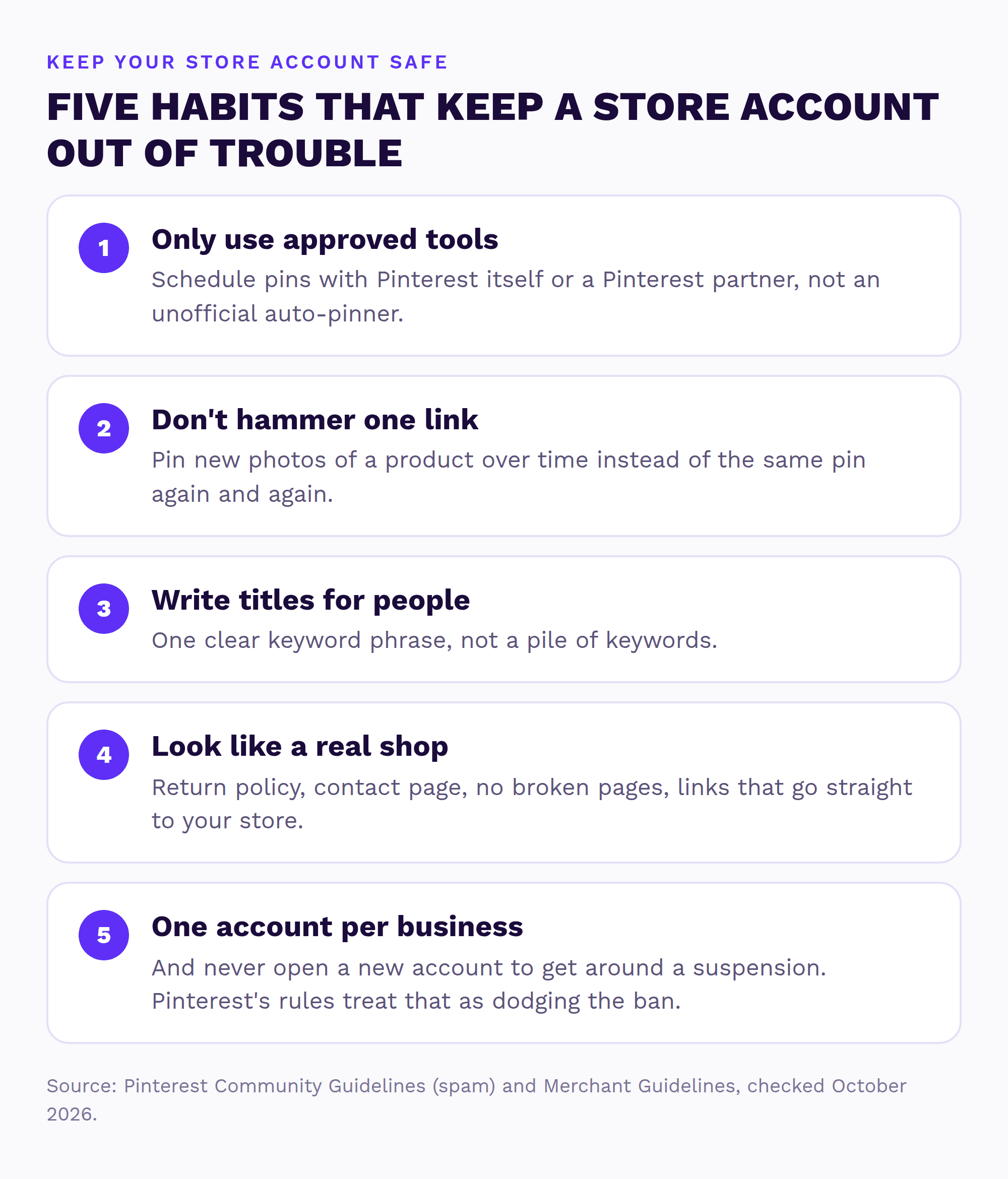
- Only use approved tools. Schedule with Pinterest itself or a tool from Pinterest’s business partners list.
- Don’t hammer one link. Pin new photos of a product over time instead of the same pin again and again. Here’s how often to pin the same product.
- Write titles for people. One clear keyword phrase per pin, not a pile of them. My Pinterest SEO for ecommerce guide shows what that looks like.
- Look like a real shop. A return policy, a contact page, no broken pages, and links that go straight to your store without redirects.
- One account per business. And never a backup account “just in case”.
Pinterest Account Suspended FAQ
Why was my Pinterest account suspended for no reason?
Pinterest uses automated tools to catch spam, and they sometimes flag real stores by mistake. Store owners often report suspensions right after connecting a store, adding a payment method or syncing a catalog. If you think it’s a mistake, appeal through the link in Pinterest’s email or the Help Center.
Can I get my suspended Pinterest account back?
It’s possible. Pinterest reviews appeals and says it changes its decision when it finds it made a mistake. Send one calm, specific appeal and fix anything obvious on your store while you wait.
How long does Pinterest take to review an appeal?
Pinterest doesn’t publish a timeline. If you hear nothing, reply to your existing ticket instead of opening new ones.
Is a suspended account the same as a deactivated one?
People use both words for the same thing: Pinterest has switched off your account. It’s different from a blocked website, where your account still works but links to your store don’t, and from a paused Verified Merchant status.
Should I make a new Pinterest account?
Not while your appeal is open. Pinterest’s guidelines say not to create new accounts for the purpose of breaking its rules or to try to get around its anti-spam systems, and a new account opened mid-appeal can look like exactly that.
Can someone help me get my Pinterest account back?
Yes. Send me your store and I’ll check your Pinterest account, catalog and pins myself. Within 1 business day, you get a free Shelf Check: a short report and video with the three fixes I’d make first.
Want this sorted for your store?
I’ll look at your Pinterest and store myself and send a short report and video with the three fixes I’d make first. Free, within 1 business day, no call needed. If your account needs a proper reset, my Setup Sprint rebuilds it the safe way.
Sources (checked October 2026)
- Pinterest: Merchant guidelines
- Pinterest Business Community: Verified Merchant website suspended as spam (Oct 2026)
- Pinterest: Community Guidelines (spam)
- Pinterest: Enforcement (appeals)
- Pinterest Help Center: Reactivate your account
- Pinterest Help Center: The Verified Merchant Program
- Pinterest Business Community: Account suspended after sign up
- Pinterest Business Community: My business Pinterest account has been suspended
- Pinterest Business: Pinterest business partners